
Rakuten Viber Messenger
Viber MediaCommunication
4.1383.10K Reviews
- Version
- Varies With Device
- Installs
- 1.00B
- Age Rating
- Teen
Screenshots



Our Review of Rakuten Viber Messenger
 Analysis by Appyee
I tend to judge a messaging app by a simple question: will the people I actually need to reach use it, and does it make everyday conversations easier without creating new hassles? Rakuten Viber Messenger is a free communication app from Viber Media, and its mix of chats, calls, communities, and optional paid calling gives it more range than a basic text messenger. That range is useful, but it also means the best reason to install it is usually that your friends, relatives, or groups are already there.
With an average rating of 4.1 from around 17 million ratings and over 1 billion installs, Viber is a familiar option for many people. It has been around since 2011, and its Teen age rating is worth keeping in mind if you are choosing a messenger for a younger user. I would look at it as a practical communication hub, not a reason by itself to move every conversation away from the apps your contacts already prefer.
Choosing Viber for the people you need to reach
Before switching, I would check which contacts rely on Viber and what they use it for. If a family group already shares plans there, or a community you follow is active in the app, having chat and calling in one place can be genuinely convenient. If everyone you speak with regularly is settled elsewhere, asking them to adopt another messenger may be more work than the features are worth.
The app is free to download, though it offers in-app purchases ranging from $0.99 to $99.99 per item. The practical distinction is that ordinary app use and paid services should not be treated as the same thing: if you are considering a paid option, check what it covers before relying on it. That matters especially for anyone comparing internet-based calls with calls to people who do not use Viber.
First things first, downloading and setting up Rakuten Viber Messenger was a breeze. It’s available on both Android and iOS, so no worries about compatibility. Just hop onto your app store, hit download, and you’re good to go.
Once installed, setting it up was as easy as pie. You just need to enter your phone number, and boom, you’re in. It syncs with your contacts automatically, so there’s no need to manually add friends. I was chatting in no time!
Where Viber is most useful day to day
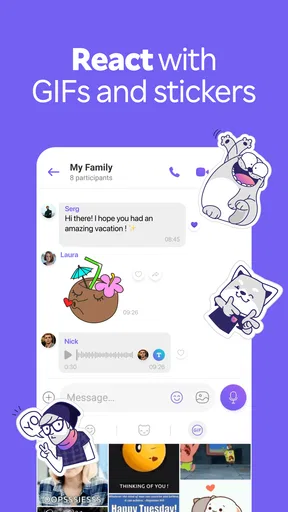
Now, let’s talk features because, honestly, this is where Viber shines. You’ve got your standard messaging, but it doesn’t stop there. Ever wanted to send a video message? Viber’s got you covered. And those cute stickers? They're not just cute; they’re downright hilarious. I spent way too much time just browsing through them.
One of the coolest features has to be the voice and video call quality. I was seriously impressed. It’s crisp, clear, and there’s no annoying lag. Plus, if you’re into group chats, Viber lets you call up to 20 people at once. Perfect for those virtual hangouts!
A realistic use for that combination is coordinating a family visit: send a quick video message to explain a change of plan, put the details in the group chat, then call everyone who needs a fuller conversation. It keeps the practical update and the social catch-up close together. For a group call, I would still make sure everyone knows where to join and have a backup plan if someone has a weak connection; no calling app can make a poor network disappear.
There is also a useful distinction between a lively group chat and a Community. A group chat is a natural home for people who already know one another and need to coordinate. Communities are better when the point is to follow a shared interest or participate in a larger public conversation. I would use the former for a trip with relatives and the latter to browse cooking ideas, rather than turning one kind of space into a substitute for the other.
Privacy choices and the trade-offs they involve
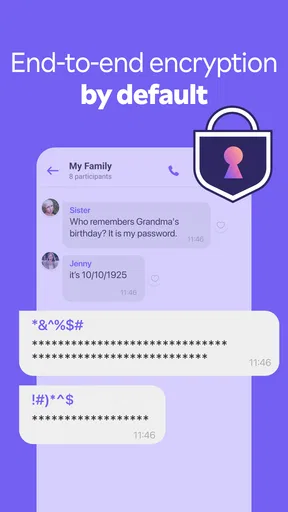
In today’s world, privacy is a big deal, and Viber takes it seriously. They’ve got end-to-end encryption, which means your messages are for your eyes only. I felt pretty secure knowing my chats were private. Plus, you can set messages to self-destruct after they’ve been read – talk about James Bond-level security!
For me, the practical lesson is to treat privacy tools as choices to use thoughtfully, not as a reason to send anything without considering the recipient or context. A disappearing message can suit a short-lived detail, but it is not a good way to keep instructions someone may need later. For addresses, travel arrangements, or shared plans, a normal message that remains available is often more useful.
Community access has its own trade-off. The ability to join without sharing your phone number can make interest-based participation feel less exposed than exchanging contact details with strangers. Even so, I would keep public discussion separate from personal conversations and think carefully before sharing identifying information in an open space. Convenience and privacy are not identical, and a setting that helps with one does not remove the need for ordinary caution.
Communities, calling beyond the app, and everyday fit
Now, here’s something super interesting: Viber Communities. These are basically like group chats on steroids. You can join groups based on your interests, whether it’s cooking, sports, or even travel. I stumbled upon a foodie community, and let’s just say my recipe book got a serious upgrade.
The great thing about these communities is that they’re open to anyone, and you can join without sharing your phone number. It’s a nice way to connect with like-minded people without compromising your privacy.
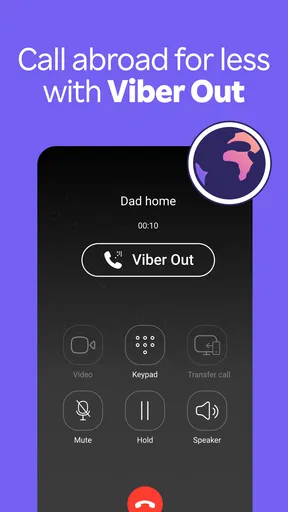
This is a neat little feature if you’re calling someone who doesn’t have Viber. Viber Out lets you make international calls to mobiles and landlines at competitive rates. It’s a lifesaver if you’ve got friends or family abroad. I gave it a whirl, and the call quality was just as good.
I would think of Viber Out as a bridge for a specific situation, not an automatic replacement for every call. If the person you want to reach already uses Viber, an app-to-app conversation is the straightforward route. If they rely on a landline or a mobile number without the app, an international calling service may be relevant; check the current purchase details and destination before spending, since paid options are separate from the free download.
Interface, small adjustments, and switching costs
Okay, so we’ve covered the features, but what about the look and feel? Viber’s user interface is sleek and intuitive. It’s got a clean design, and everything is right where you’d expect it to be. You can customize chat backgrounds and even tweak your notification sounds. It’s those little touches that make the app feel personal.
Plus, if you’re someone who loves a bit of customization, you’ll appreciate the themes. I switched mine up to match my mood, and it just adds a bit of fun to the whole experience.
A small but practical tip is to use notification choices to distinguish a busy group from a conversation that needs a quick response. Personalizing sounds can help, but it is worth being selective: if every chat calls for attention, the customization has not solved the underlying distraction. I would start with the conversations that matter most and adjust the rest once I know how active they are.
The larger cost of switching is social rather than technical. Installing Viber is only the first step; your regular contacts need to be reachable there too. I would test it with one willing friend or family group before asking everyone to migrate. That makes it easier to see whether calls, message habits, and community use suit your routine, without making another app the default before it has a purpose.
How it compares with other messaging choices
Compared with a text-focused messenger, Viber has more to offer if you want voice and video calls, interest communities, and a way to reach phone numbers outside its user base through a paid calling option. Compared with a social network’s messaging feature, it puts direct conversations and calling closer to the center. Those differences matter most when you will actually use them; a long feature list is not a benefit if your contacts never open the app.
Someone who prioritizes keeping all conversations inside a workplace platform may be better served by that platform, especially when work files and team processes are the main concern. Someone whose friends already coordinate in another messenger may find that staying there is simpler. I would not switch solely for stickers or themes, and I would not treat Viber Communities as a replacement for a smaller private group when a conversation is personal.
Viber’s broad reach is a persuasive point for people whose contacts are spread across different places, while the phone-number-based setup may not appeal to someone who wants a messenger detached from their existing contact list. That is a real decision point, not a flaw everyone will experience equally. If you prefer to keep communication separate from phone contacts, compare the setup and privacy choices of the alternatives you are already considering before moving conversations.
Who I would recommend it to
All in all, Rakuten Viber Messenger is more than just a messaging app. It’s packed with features that make communication fun, secure, and versatile. Whether you’re chatting, calling, or joining communities, Viber’s got something for everyone.
I think it is a good fit for someone whose friends or family already use it, for people who want group calling alongside regular messages, and for anyone curious about public interest communities. It is less compelling if your whole social circle uses a different service, if you want a work-first tool, or if you do not want to connect a messenger to your phone number. Those are good reasons to skip it rather than force a second inbox into your day.
If you haven’t tried it yet, give it a go. You might just find it becomes your go-to app for staying connected. Happy chatting!
Privacy and Permissions
See what permissions an app requests and how it handles your data.
- Device & app history
- retrieve running apps, read sensitive log data
- Identity
- find accounts on the device, add or remove accounts
- Contacts
- find accounts on the device, read your contacts, modify your contacts
- Location
- approximate location (network-based), precise location (GPS and network-based)
- SMS
- send SMS messages
- Phone
- directly call phone numbers, read call log, read phone status and identity
- Photos/Media/Files
- read the contents of your USB storage, modify or delete the contents of your USB storage
- Storage
- read the contents of your USB storage, modify or delete the contents of your USB storage
- Camera
- take pictures and videos
- Microphone
- record audio
- Wi-Fi connection information
- view Wi-Fi connections
- Device ID & call information
- read phone status and identity
- Other
- view network connections, create accounts and set passwords, pair with Bluetooth devices, access Bluetooth settings, send sticky broadcast, change network connectivity, connect and disconnect from Wi-Fi, disable your screen lock, full network access, close other apps, change your audio settings, read sync settings, run at startup, set wallpaper, draw over other apps, use accounts on the device, control vibration, prevent device from sleeping, modify system settings, toggle sync on and off
How Rakuten Viber Messenger Compares
Full ComparisonWhatsApp suits broad, private everyday messaging; Viber fits callers who want communities and large group chats; LINE appeals to sticker fans who value expressive messaging.
| App | Developer | Rating | Price |
|---|---|---|---|
 WhatsApp Messenger | WhatsApp LLC | 4.6 | Free |
 Rakuten Viber MessengerThis App | Viber Media | 4.1 | Free |
 LINE: Calls & Messages | LINE (LY Corporation) | 3.1 | Free |
Verdict
Strengths of Rakuten Viber Messenger
- High-quality voice and video calls
- User-friendly interface
- End-to-end encryption for chats
- Wide variety of stickers and GIFs
- Supports group chats up to 250 people
Limitations of Rakuten Viber Messenger
- Some features require in-app purchases
- Occasional connectivity issues
- Ads can be intrusive
- Limited customization options
- Not as popular as some competitors
Similar Picks in This Category
View All
Google Messages
Google LLC4.6

Gmail
Google LLC4.1

Google Meet
Google LLC4.4

Google Chrome
Google LLC4.1

WhatsApp Messenger
WhatsApp LLC4.6

Carrier Services
Google LLC4.2
You May Also Like
View All


Frequently Asked Questions
What is Rakuten Viber Messenger and how does it work?
Rakuten Viber Messenger is a free messaging app that allows users to send text messages, make voice and video calls, and share media with friends and family. It operates over the internet, connecting users worldwide without the need for traditional SMS or call charges. The app is available on both Android and iOS, offering a user-friendly interface and robust privacy features.
Is Rakuten Viber Messenger secure and private?
Yes, Rakuten Viber Messenger is designed with security and privacy in mind. It offers end-to-end encryption for all messages, calls, and shared media. This means that only the sender and receiver can read or listen to the content, ensuring that your communications remain private and secure from third-party access.
Can I use Rakuten Viber Messenger to call non-Viber users?
Yes, with Viber Out, you can make calls to non-Viber users, including landlines and mobile numbers worldwide. Viber Out is a paid feature, and users can purchase credits or a subscription plan within the app. This allows for affordable international communication beyond just Viber-to-Viber connections.
What features does Rakuten Viber Messenger offer beyond basic messaging?
Rakuten Viber Messenger provides a variety of features beyond standard messaging. These include group chats, sticker and GIF sharing, public chats, and chat extensions for enhanced interaction. The app also supports video calls, file sharing, and community creation for users with shared interests. These features make Viber a versatile communication tool.
Are there any costs associated with using Rakuten Viber Messenger?
Rakuten Viber Messenger is free to download and use for messaging and Viber-to-Viber calls. However, charges apply for Viber Out calls made to non-Viber users, which require purchasing credits or a subscription. Additionally, data charges may apply if you're not connected to Wi-Fi, depending on your mobile network plan.
